How to Compress an Image to 100 KB (or Any Size Limit)
Job portals, school applications and government forms love to say "photo must be under 100 KB". A modern phone photo is 20 to 50 times bigger than that. The good news: you can get there in two steps, and the order of those steps matters more than any quality slider.
Why a photo is so big in the first place
A phone photo is usually around 12 megapixels, which means 4000 × 3000 pixels. A form that shows your picture in a small box does not need anywhere near that many pixels. The file size depends mostly on how many pixels there are, and only secondarily on the quality setting.
We tested this with 12-megapixel photos. Running only the image compressor shaved off roughly 20% (for example, about 1,077 KB down to 856 KB). Making the picture smaller first and compressing second got the same photos far lower. That is why the recipe below has two steps.
Step by step
- iPhone photo (HEIC)? Convert it to JPG first with HEIC to JPG. The resize and compress tools work with JPG, PNG and WEBP.
- Open Resize image, add the photo, choose Exact size in pixels, type a Width (leave Height empty) and keep Keep proportions ticked. Start with 1000 to 1200 pixels for a 100 KB goal.
- Download the resized photo and open it in the Image compressor. Click Compress images and download the result.
- Check the file size on your computer or phone. Still above the limit? Repeat from the original photo with a smaller width. Do not resize the same file again and again, because every pass loses a little quality.
What size to expect
These are the results from our test with three 4000 × 3000 photos, resized to the width shown and then compressed. Your photo can land higher or lower, mostly depending on how much detail it has (a grassy field weighs more than a plain wall).
| Width | File size after both steps | Good for |
|---|---|---|
| 1600 px | about 155 to 250 KB | Limits of 200 to 500 KB |
| 1200 px | about 100 to 145 KB | Limits of 150 KB and up, sometimes 100 KB |
| 800 px | about 50 to 70 KB | Limits of 100 KB |
| 600 px | about 30 to 40 KB | Limits of 50 KB |
For a hard 100 KB limit, the safe plan is: try 1000 px; if it is over, go to 800 px.
Tips for staying under the limit without ruining the photo
- Check what the form really asks for. Many forms ask for both a size in KB and a size in pixels (for example "200 × 230 px"). Set the exact pixels in step 2 and untick Keep proportions only if the form needs that exact shape.
- Crop first if the photo has a lot of empty space around the person. Fewer pixels to keep means a smaller file at the same sharpness.
- Plain backgrounds compress better. A photo against a flat wall is much smaller than one in a busy street.
- Do not rename a PNG to .jpg. It does not change the format and many forms will reject it. Upload the real JPG that comes out of the tools.
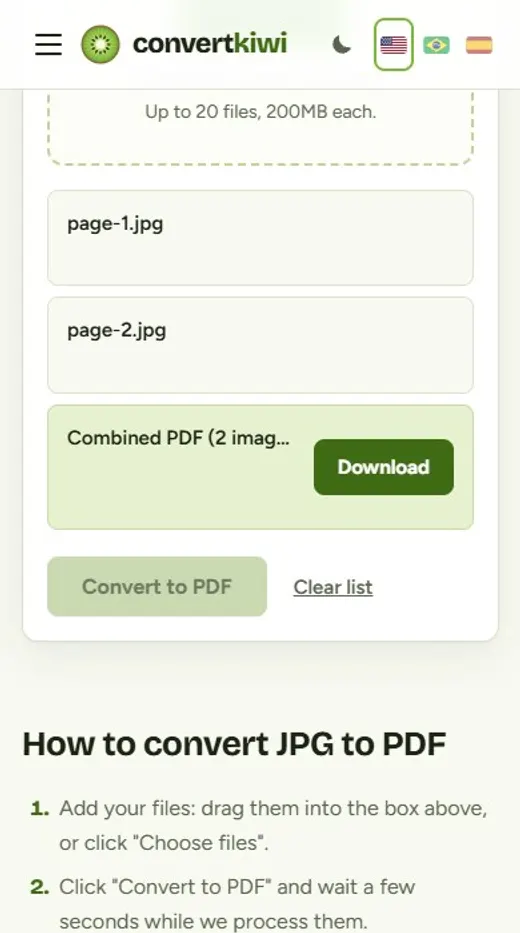
- Need the photo inside a PDF? Make it small first, then use JPG to PDF.
Common questions
Can I get exactly 100 KB?
The tools make the file smaller, but they do not aim for an exact number. If you need a number very close to the limit, try widths between the steps in the table (for example 1000 px) and keep the one that fits.
Will the picture look blurry?
On a big screen a 800 px photo is smaller and softer than the original, but forms and profile pictures show it in a small box, where it looks fine. If it matters, keep the version just under the limit rather than the smallest one.
Is there a size limit for what I upload to the tool?
Files can be up to 200 MB each, and the resized image can be up to 8000 pixels on each side.
Privacy: your photo is deleted from our server as soon as it is processed, and the result 30 minutes later. Photos for ID or application forms are personal, so download your result and do not share the link with others.
Sources
More guides
iPhone Photos (HEIC) Won't Open on Windows? Here Is How to Fix It
Why iPhone photos arrive as HEIC files that Windows, websites and older apps cannot open, three ways to fix it and the iPhone setting that stops it happening.
Read the guide →How to Remove the Background From a Photo (for Stores, Profiles and Designs)
Cut the subject out of a photo automatically, then choose a transparent, white, colored or blurred background. Tips for product photos, profile pictures and clean edges.
Read the guide →Image Sizes for Instagram, Facebook, WhatsApp and YouTube (and How to Resize)
Pixel sizes for posts, stories, thumbnails and profile photos on Instagram, Facebook, WhatsApp, YouTube and X, and how to crop and resize photos to match.
Read the guide →How to Turn Phone Photos of Documents Into a Single PDF
Take clean photos of documents with your phone and combine them into one tidy PDF for job applications, visas, schools and forms.
Read the guide →