Free tool
Image to Text (OCR)
Copy the text from a photo, screenshot or scanned page. Everything runs in your browser, so your image is never uploaded.
Tested by Thiago · Updated
Free, no sign-up · Runs in your browser: your files are never uploaded
Drop an image here
or
How to copy text from an image
- Add a photo, a screenshot or a scanned page, or paste a screenshot with Ctrl+V.
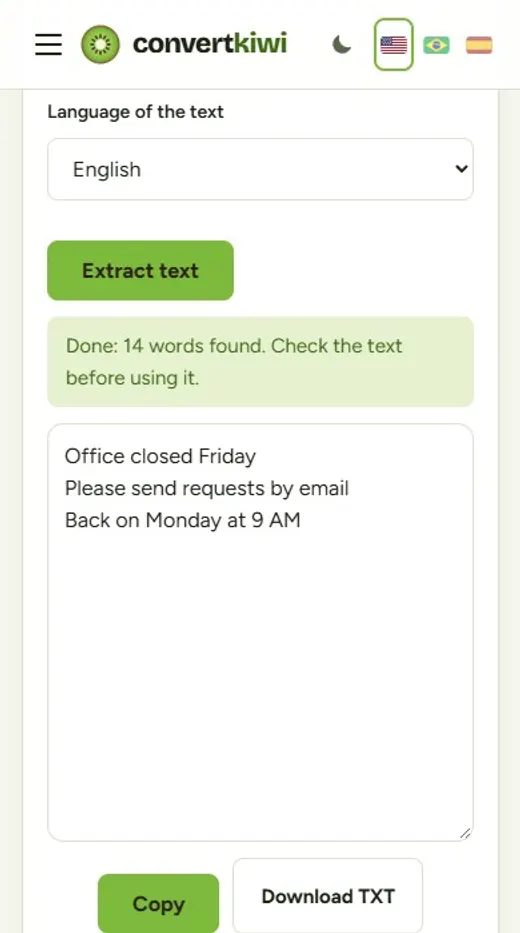
- Choose the language of the text and click "Extract text". The first run downloads the reading engine, so it takes a few extra seconds.
- Check the text, fix anything the engine misread, then copy it or download it as a TXT file.
What people use it for
- Copying a paragraph from a screenshot instead of typing it again.
- Getting the text out of a photo of a document, a letter or a notice board.
- Turning a scanned page into editable text for a report or an email.
- Grabbing an address, a phone number or a serial number from a picture.
How OCR reads your image
OCR (optical character recognition) finds the lines of text in the picture, splits them into words and recognizes each one with a model trained on large amounts of printed text. The engine used here is Tesseract, an open-source project. It runs as WebAssembly, the technology that lets complex programs run inside a browser, which is why no upload is needed.
Because it reads printed letters, the result depends mostly on the picture: sharp, straight, evenly lit text comes out almost perfect, while blurry, tilted or low-contrast text produces mistakes. The engine also uses a dictionary for the language you pick, which helps it choose between similar-looking letters.
Tips for the best result
- Photograph the page straight on, filling the frame, in good light and without shadows across the text.
- Crop away everything that is not text: borders, photos and decorations can confuse the engine.
- Very small text reads better from a sharper, larger picture. A screenshot at normal zoom is usually perfect.
- Dark text on a light background works best. Light text on a dark background is read less reliably.
- Always read the result before using it: numbers, names and words in another language are where mistakes usually hide.
Helpful guides
Frequently asked questions
Is the image uploaded to a server?
No. The text recognition runs inside your browser with Tesseract, an open-source OCR engine. Your image never leaves your device, and nothing is stored.
Which languages can it read?
English, Portuguese and Spanish. Pick the language of the text before you start: the engine uses a dictionary for that language, so choosing the right one gives noticeably better results.
Can it read handwriting?
Only poorly. The engine is trained on printed text. Neat block letters sometimes work, but cursive handwriting usually comes out wrong.
Why is the first run slower?
The first time, your browser downloads the recognition engine (about 4 MB) and the language file (1.4 to 3 MB). After that they are kept in the browser, so the next images start much faster.
Does it work on a phone?
Yes, in any modern browser. Reading a large photo uses the phone processor, so it can take a little longer than on a computer.
Can I extract text from a PDF?
Not directly. If the PDF is a scan, first save its pages as images with PDF to JPG, then read each page here. If you can select the text in your PDF reader, the PDF already contains the text and you can simply copy it.