PDF converter
Word to PDF Converter
Convert Word documents to PDF, plus Excel and PowerPoint files. Pages and slides are kept; a font we do not have may be swapped. Free, no sign-up.
Tested by Thiago · Updated
Free, no sign-up · Sent over HTTPS · Files are deleted from our server automatically after 30 minutes
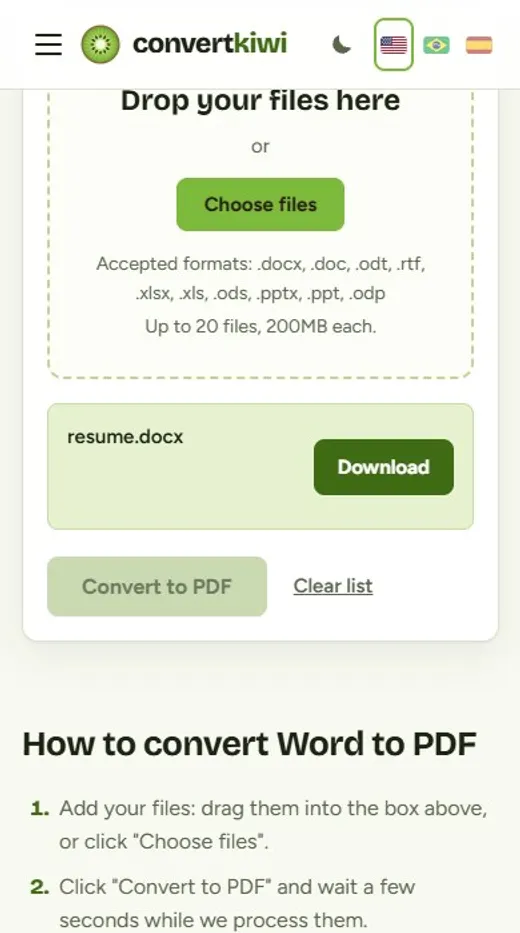
How to convert Word to PDF
- Add your files: drag them into the box above, or click "Choose files".
- Click "Convert to PDF" and wait a few seconds while we process them.
- Download your PDF files. Uploaded files are deleted right away, and converted files are removed from our server after 30 minutes.
Why convert Word to PDF?
A Word file looks different depending on who opens it: another version of Word, a phone, a free office suite or a browser can all move a line or a picture. A PDF is the fixed copy of the same pages, and that is why job portals, schools, banks and government forms keep asking for one. This converter turns a Word document into a PDF in a few seconds, and it also takes Excel spreadsheets and PowerPoint presentations, so you do not need Microsoft Office on the computer you are using.
- Sending a resume, cover letter or contract that must look the same for the reader as it does for you.
- Submitting an assignment or form to a website that only accepts PDF.
- Turning a PowerPoint into a handout with one slide per page.
- Printing or sharing a spreadsheet without letting anyone edit the numbers.
Tips for the best result
- Open the PDF before you send it. The conversion uses LibreOffice, not Microsoft Word, so if your document uses a font that is not installed on our server, a similar font replaces it and a line or page break can move.
- Using common fonts (Arial, Times New Roman, Calibri, Cambria or Courier) gives the most faithful result.
- Excel follows the print settings of each sheet. If a wide table is split over several pages, set "fit all columns on one page" in Excel before converting.
- Password-protected documents cannot be opened. Remove the password first.
About these formats
Supported formats: Word (DOCX, DOC, ODT, RTF), Excel (XLSX, XLS, ODS) and PowerPoint (PPTX, PPT, ODP). Each document becomes one PDF with the same pages, sheets or slides.
PDF: The standard format for documents. It looks the same on every device, which makes it ideal for sharing, printing and sending scans.
Frequently asked questions
Which files can I convert to PDF?
Word (DOCX, DOC, ODT, RTF), Excel (XLSX, XLS, ODS) and PowerPoint (PPTX, PPT, ODP), up to 200 MB. One document at a time.
Will my document look exactly like it does in Word?
Almost always, but not guaranteed. Text, tables, images and page breaks are kept. The main difference comes from fonts: if a font in your file is not installed on our server, a similar one replaces it, so check the PDF before sending it.
Are macros and tracked changes included?
Macros are not run. The PDF shows the document as it looks, so accept or reject tracked changes in Word first if you do not want them to appear.
What happens to PowerPoint animations and speaker notes?
The PDF has one page per slide. Animations, transitions and speaker notes are not included.
Is my file stored?
Your document is deleted from our server as soon as it is converted, and the PDF is removed after 30 minutes. We never read the content, and no account is needed.